Wednesday, 19 February 2025

How to set up My Zsh and Oh My Zsh on Ubuntu, start by installing Zsh and some useful tools

Tools

  • Zsh: A powerful shell that operates as both an interactive shell and a scripting language interpreter.
  • curl: A command-line tool for transferring data with URLs, supporting various protocols.
  • autojump: A faster way to navigate your filesystem, learning your most frequently used directories.
  • fzf: A general-purpose command-line fuzzy finder, useful for searching files, command history, and more.
  • git: A distributed version control system for tracking changes in source code during software development.
  • bat: A `cat` clone with syntax highlighting and Git integration, enhancing the readability of code and text files.
sudo apt-get install zsh curl autojump fzf git bat -y

Then, install Oh My Zsh using the command:

sh -c "$(curl -fsSL https://raw.githubusercontent.com/ohmyzsh/ohmyzsh/master/tools/install.sh)"

Next, add some helpful plugins to enhance your Zsh experience. Clone the following repositories into your Oh My Zsh custom plugins directory:

Plugins

  • zsh-syntax-highlighting: This plugin provides syntax highlighting for commands typed in the Zsh prompt, making it easier to read and spot errors.
  • zsh-autosuggestions: This plugin suggests commands as you type based on your command history and completions, speeding up your workflow.
  • you-should-use: This plugin reminds you to use existing aliases and functions, helping you to optimize your command usage.
  • zsh-bat: This plugin integrates the `bat` command, a `cat` clone with syntax highlighting and Git integration, into your Zsh environment.
git clone https://github.com/zsh-users/zsh-syntax-highlighting.git ${ZSH_CUSTOM:-~/.oh-my-zsh/custom}/plugins/zsh-syntax-highlighting
git clone https://github.com/zsh-users/zsh-autosuggestions ${ZSH_CUSTOM:-~/.oh-my-zsh/custom}/plugins/zsh-autosuggestions
git clone https://github.com/MichaelAquilina/zsh-you-should-use.git $ZSH_CUSTOM/plugins/you-should-use
git clone https://github.com/fdellwing/zsh-bat.git $ZSH_CUSTOM/plugins/zsh-bat

Open your .zshrc file with:

nano ~/.zshrc

Add the plugins to the plugins list:

plugins=(git zsh-syntax-highlighting zsh-autosuggestions you-should-use zsh-bat)

Finally, apply the changes by running:

source ~/.zshrc

Best Zsh Tools and Plugins

  • Zsh: A powerful and flexible shell.
  • Oh My Zsh: A framework for managing your Zsh configuration.
  • zsh-syntax-highlighting: Enhances readability with syntax highlighting.
  • zsh-autosuggestions: Boosts productivity with command suggestions.
  • you-should-use: Optimizes command usage by suggesting aliases.
  • zsh-bat: Integrates the `bat` command for better file viewing.

These tools and plugins are some of the best for enhancing your Zsh experience, making your terminal more powerful and efficient.

Friday, 14 April 2023

Unified HTTP and WebSocket Security

Unified HTTP and WebSocket Security

Thanks to the HTTP/WebSocket unified security model, the following is a list of some standard HTTP security methods that can be applied to a WebSocket connection. Remember this is not something you get for free: each WebSocket gateway/server needs to implement any of these they consider important. (Kaazing’s Gateway supports all of them, and more.)


Wednesday, 15 March 2023

Force Mark all Read Gmaill


If you are thinking, how can I force mark all Read Gmaill? We can do this using Google scripts (app scripts ) allows us to automate tasks that we can't be bothered to do; I had a really fucking annoying notification of an old as fuck email, so I wanted to force them all into read.

Monday, 30 May 2022

So you want to make your own docker-compose for PHP/NPM ?


So you want to make your own docker-compose for PHP and NPM ? I know you do. But you don't want any more headaches, do you? Well, then, this tutorial is for you.


Friday, 26 November 2021

This is the list of cool and awesome Linux things.

This is the list of cool and awesome Linux things. Using these can improve your productivity and may even save your day occasionally. I'm sure you've heard of some of these before, so I'll keep it short; this is still a good primer if you're new to the Linux command line and looking for advice.


Thursday, 20 April 2017

How to calculate if table rows are inserted consecutively in MySQL

As a developer, working with asynchronous code often means dealing with out-of-order timestamps. To report on such data, we need to validate the created date-time. Here, we will explore SQL parts beyond the SELECT statement, focusing on variables and the HAVING clause.

SELECT @a := 0;
SELECT invited, `date`, `date` - @a AS gap, @a := `date`
FROM INVOICES AS i
HAVING gap < 0

SQL Variables

SQL variables are used to store temporary data. They are particularly useful in complex queries where intermediate results need to be stored and reused.

SELECT @a := 0;
  • @a is a user-defined variable.
  • := is the assignment operator.
  • 0 is the initial value assigned to @a.

Using Variables in Queries

Variables can be used within queries to perform calculations or store intermediate results.

SELECT invited, `date`, `date` - @a AS gap, @a := `date`
FROM INVOICES AS i
HAVING gap < 0;
  • invited and date are columns from the INVOICES table.
  • date - @a AS gap calculates the difference between the current date and the value stored in @a, aliasing it as gap.
  • @a := date updates the variable @a with the current date value for the next row.

The HAVING Clause

The HAVING clause is used to filter results based on aggregate functions or calculated columns, similar to the WHERE clause but applied after the GROUP BY clause.

HAVING gap < 0;
  • This filters the results to include only rows where the gap is less than 0, indicating an out-of-order timestamp.

Full Query Explanation

  1. Initialize Variable:
    SELECT @a := 0;
    Initializes the variable @a to 0.
  2. Query with Variable:
    SELECT invited, `date`, `date` - @a AS gap, @a := `date`
    FROM INVOICES AS i
    HAVING gap < 0;
    • Selects invited and date from the INVOICES table.
    • Calculates the gap between the current date and the previous date stored in @a.
    • Updates @a with the current date.
    • Filters rows where gap is less than 0.

Monday, 20 March 2017

Linux Clipboard Text To Speech

Install festival and esound-clients.

To do so, follow this tutorial: https://help.ubuntu.com/community/TextToSpeech

Install xsel:

sudo apt-get install xsel

Create new file in your home folder, call it "clipboardtospeech.sh" or something.

nano ~/apps/clipboardtospeech.sh

edit it and paste the following line:

xsel --clipboard | festival --tts

Make the script executable

cmod +x ~/apps/clipboardtospeech.sh

Make the file executable make a hotkey that launches the shell script:

~/apps/clipboardtospeech.sh 

Rsync over proxy gcloud / jumpbox

So I needed to pushdown some log files off of a box without a public IP, rather then rsync to the jump box / proxy then  rsync to my local box i made use of the ssh proxy command.

 rsync -avz -e 'ssh -o ProxyCommand="ssh proxxye.url.com -i ~/.ssh/google_compute_engine -W my-internal-ip.internal:22"' my-internal-ip.internal:/var/www/log/workers ~/code/logs/

Wednesday, 27 April 2016

Cross Brouser Support For onPaste clipboardData


Some of the current browsers support a 'clipboardData' property as part of a paste event. This should allow you to query the different data formats created from the current data on the clipboard.

Safari and Chrome have the best support, but it is still incomplete. Firefox has no support if you discount using the XPCOM objects interface. The IE interface is older and only supports Text or URL data.


Firefox, Safari IE and Chrome all sanitize any HTML being pasted. Opera will only paste plain text so HTML sanitation is not an issue. Some earlier version of IE could cause some security issues as they copy hyper-links in full.

Try copying and pasting this paragraph and link into the box below.

Tuesday, 12 April 2016

Cold Fusion debuging with fiddler proxy [CFML]

Not a clue why i'm doing Cold Fusion today but I am and I needed to debug some shitty API

<cfhttp method="post" proxyport="8888" proxyserver="127.0.0.1" result="resultHttp" throwonerror="false" url="#apiURL#">
            <cfhttpparam name="requestData" type="formfield" value="#requestData#"></cfhttpparam>
    </cfhttp>

Friday, 1 April 2016

Saturday, 20 February 2016

MySQL errno 150

  1. Data Types Don't Match: 

    The types of the columns have to be the same (usually). This is one of the most common reasons for errno 150. For instance, if the type of the child column is VARCHAR(50), the type of the parent column should be exactly VARCHAR(50) (since they're supposed to hold the same data). For numeric types, if one is UNSIGNED, then both have to be UNSIGNED. They should match exactly!. I have run into circumstances where it has let me create a foreign key where the child column was a VARCHAR(50) and the parent column was a VARCHAR(200). Interestingly, if I tried to do the opposite for the same tables, reference a child column that was a VARCHAR(200) to a parent column that was a VARCHAR(50), it threw the errno 150 error. This all might depend on the version of MySQL you are using, and really, the data types should match exactly since the same data is being stored in both places.
    How do you fix it? You need to check the data types for the columns. You can check them by using SHOW COLUMNS, or SHOW CREATE TABLE. If you are using Eliacom's MySQL GUI tool, then the system should alert you if their data types are different before it attempts to create the foreign key, so you shouldn't have to worry about this. If you don't know how to add foreign keys using Eliacom's MySQL GUI tool, see the video tutorial on adding foreign keys and indexes.
  2. Parent Columns Not Indexed (Or Indexed in Wrong Order): 

    MySQL requires that both the child columns and parent columns have indexes on them so that the operations to ensure the constraint is in effect can be done quickly. If there isn't a key (index) on the child table, it will automatically create it. But if there isn't one on the parent table, then it will throw a (very unhelpful) error. Important: For multi-column foreign keys, you need a multi-column index. The order of the columns in the index matters! This means you could have an index on the two columns you're trying to match, but if they're in a different order than how you put them into the foreign key statement, you'll get this error.
    How do you fix it? You need to check that you have an appropriate index on the parent table. If you are creating a foreign key on multiple columns, then you need to create an index on those columns in the right order. If you are creating a foreign key on one column, and that column has a multi-column index, then it should work if the column is the first in the index. I have heard that sometimes this doesn't work, but I've never been able to confirm that (let me know if you've had this experience). If you are using Eliacom's MySQL GUI tool, then the system will check if there is an appropriate index on the parent table. If there isn't, then it will automatically (and silently) create one for you. You can always view the indexes that exists on each table easily in the Table Manager as well. If you don't know how to add foreign keys (or view indexes) using our MySQL GUI tool
  3. Column Collations Don't Match:

    For character string type columns (CHAR, VARCHAR, etc.), the column collations have to match exactly. This of course means that the CHARACTER SETs have to match exactly as well. If they aren't, you can expect the errno 150 error.
    How do you fix it? You need to check the collations for the columns to see if this might be the cause of the issue. The easiest way to do this using MySQL queries is using SHOW FULL COLUMNS. That will tell you the collation for each column in a table. If you are using Eliacom's MySQL GUI tool, then when you create the foreign key, our MySQL GUI tool will precheck the collations. If they are not the same, then it will tell you that they are different and need to be fixed before the foreign key can be implemented. If you don't know how to add foreign keys (or view indexes) using Eliacom's MySQL GUI tool
  4. Using SET NULL on a NOT NULL Column: 

    If you try to execute a statement like:

    ALTER TABLE `child_table` ADD FOREIGN KEY (`child_column`) REFERENCES `parent_table` (`parent_column`) ON DELETE SET NULL

    and if the child_column's definition has NOT NULL in it, you will get the errno 150 error.
    How do you fix it? This takes some thought. Do you really want to set the child to NULL if the parent is deleted (or updated if you did ON UPDATE SET NULL)? If so, you need to make sure that NULL is allowed for that column in the child table. You can check this using SHOW COLUMNS or SHOW CREATE TABLE. If you didn't really want that, then change the ON DELETE/UPDATE SET NULL to something like CASCADE or RESTRICT. If you are using Eliacom's MySQL GUI tool, then when you go to create the foreign key, the system will alert you if you are trying to SET NULL to a column that is NOT NULL, so you can decide if you want to change it. If you don't how know to add foreign keys using Eliacom's MySQL GUI tool/
  5. Table Collations Don't Match: 

    Just like the Column Collations issue above, having different table collations, even though the column collations match, can cause some problems (at least on some versions of MySQL; this may have been fixed in later versions since this in principle the table default shouldn't matter). Where we have seen this error crop up is if you have two tables with different collations, but the column collations are the same: it did allow us to create the foreign key without any errors (this was done on MySQL 5.1.41). However, if we ever attempted to modify the child column at all (say rename it, or even just run a "MODIFY COLUMN" query that kept its attributes the same, we would get the errno 150 error. In this case, SHOW INNODB STATUS was completely unhelpful. It said something about needing indexes, or that we possibly SET NULL on a NOT NULL column.
    Note: Actually in the case we found, it was different default character sets at the table level, but I'm guessing it happens if only the collations are different as well.
    How do you fix it? You'll have to change the table collations to match as well as the column collations. It's possible that in more recent versions of MySQL that this has been fixed. If you are using Eliacom's MySQL GUI tool, then you can change the table collation by using our MySQL GUI's table editor. If you don't know how to edit tables using our MySQL GUI tool.
  6. Parent Column Doesn't Actually Exist In Parent Table:

    This is the kind of error that you will spend hours looking for, and then kick yourself when you find it. Check your spelling and look for spaces! Take for instance the query below:

    alter table esp_empdata add constraint foreign key (`empClass`) references `esp_empclasses` (` id2`)

    I went through all the other checks in this paper over and over about 50 times. I was about to give up hope, when I discovered the trick of using SHOW INNODB STATUS, and it will actually take all the mystery away of why these foreign key errors are happening. It told me "Cannot resolve column name close to: ". I thought, what does that mean? I looked more closely, realized I had a space before id2, and kicked myself, repeatedly. You will get the errno 150 error.
    How do you fix it? Double check that the column that you are trying to reference actually exists. If it checks out, then triple check for things like spaces at the beginning or end of the column, or anything that might make it miss the column in the parent table.
  7. One of the indexes on one of the columns is incomplete (column is too long)

    Even if you have added an index to a column, if it's not complete, it will fail. This can happen if your column takes up more than 767 bytes. Note that for a UTF8 column, that corresponds to a varchar(255); a column longer than that cannot have a foreign key on it (note that on some versions you can increase this max key length).
    How do you fix it?Make sure teh key is complete and/or make the column shorter.

Thursday, 4 February 2016

Contributing to The FOSS With a Yotack PHP API

Contributing to The FOSS With a Yotack PHP Ckint API

https://github.com/TheSkyNet/youtrack-php

Monday, 18 January 2016

NEW Devlopmant wood-cuts.com


wood-cuts.com :offer a flexible 24/7 CNC Wood Machining service designed to take out the stress and pressure from wood and acriclc production . Wood custs have over thirty years of experience in working with sub-contracting overspill and excess capacity production projects.  

http://wood-cuts.com/

Saturday, 19 December 2015

ncast.io the channel of the web


ncast.io


ncast is a video streaming platform design to make video channel out of web sites.
http://ncast.io/

Tuesday, 1 December 2015

Checkout remote branch and track


for branch in `git branch -a | grep remotes | grep -v HEAD | grep -v master `; do
 git branch --track ${branch#remotes/origin/} $branch
done

Tuesday, 15 September 2015

Launch Sublime Text From A Cygwin Terminal

Hi guys,

This is just a quick tip to launch Sublime Text  from A Cygwin Terminal, most developers need to use the command-line but lets face it vim, vi and nano all suck as editors sublime is nice so lets use that.

1) Edit the bashrc (OK we gonna use a terminal editor jut one)
nano ~/.bashrc
2) Put this at the bottom of the file 


 subl() {

 local cmd="'$(cygpath 'D:\Documents\Sublime Text 2.0.1\sublime_text.exe')'"


 if [[ $@ ]]; then

      cmd=$cmd' "'$(cygpath --windows "$@" | sed ':a;N;$!ba;s/\n/" "/g')'"'

 fi

 eval $cmd
}

3) Then re compile bashrc

  source ~/.bashrc

OR

  . ~/.bashrc

and you are done ! type subl any time to edit file in Sublime Text.

Sunday, 13 September 2015

Xamp dynamic vertual hosts with a lookback URL

This is a short tutorial how to get up and running with dynamic virtual hosts with XAMPP on Windows.


Imgious

Imgious the fast and simple image hosting site

 Imgious the fast and simple image hosting site


Imgious is a fast and simple image hosting application provides a super simple image distribution network for fast delivery of image files.

Post files as files[] to http://imgious.com/import/ they will then be uploaded and Imgious  URL returned as JSON

To access a file in another size append the URL parameters ?h=512&w=512  to the brace URL for example

http://imgious.com/i/55f4bbdcf25ae?h=512&w=512 will return a 512x512 image

http://imgious.com/
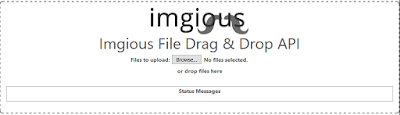
Has a simple drag and drop UI for fast file import.

Tuesday, 10 September 2013

I am feed

I am feed is a social news aggregation service, that takes inspiration from the Kings of social and news services such as Reddit, Digg, Slashdot and many others.
9[1]
I am feed is a service that hopes to mitigate the effect of the eternal September that have effected many social news networks, this will be accomplished by a new innovative voting system that not only counts votes given by user but additionally monitors the interaction of the user between themselves and the story.

With this in mind It is my hope that I am feed will produce a high level of conversation about interesting news articles from around the world. It is also a belief that the methods of monetizing web applications through advertisements is fundamentally broken and I wish to innovate upon this area.

http://iamfeed.com